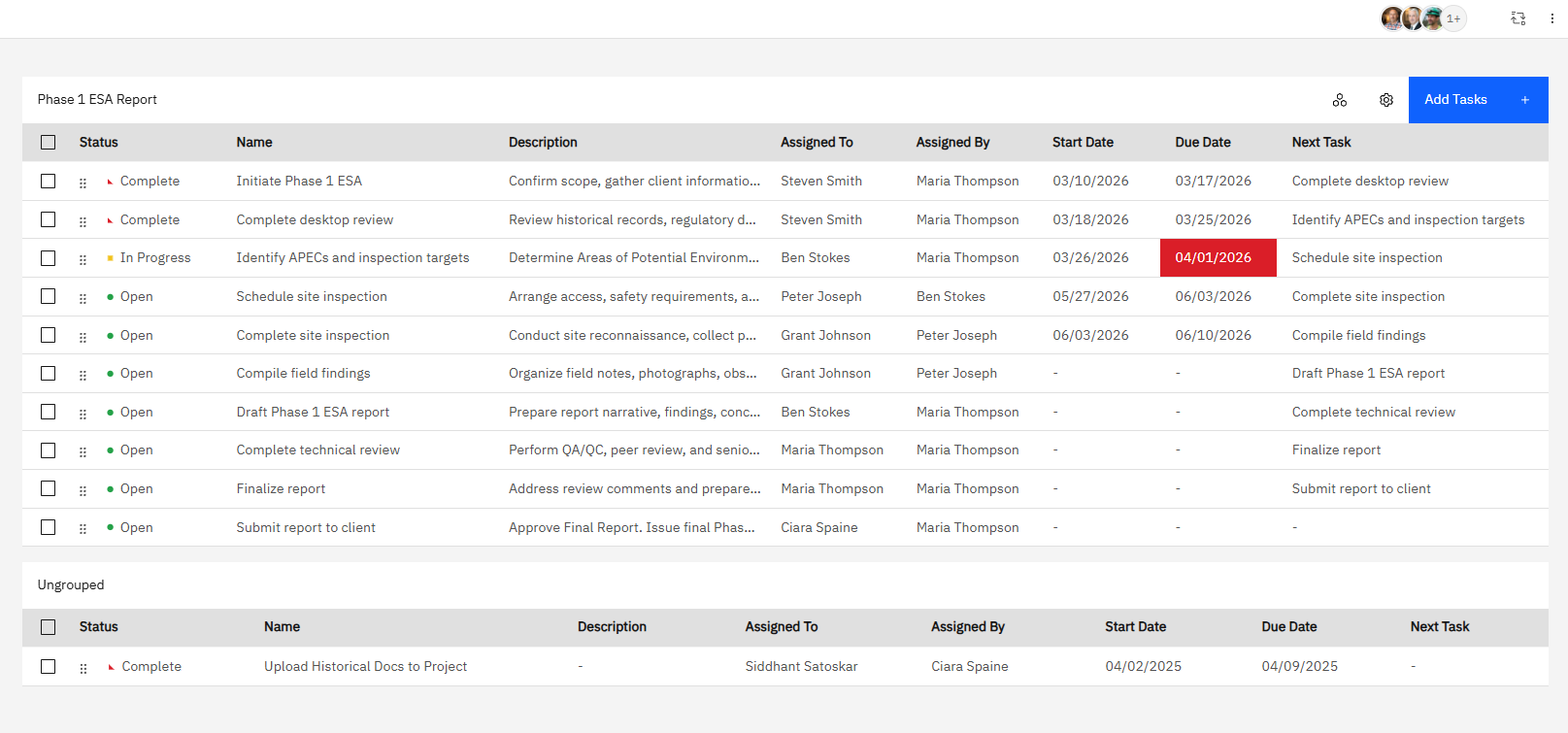
You can create individual tasks, assign them to your staff and contractors, and control automatic notifications for deadlines and assignments. For repeating workflows, you can even re-use groups of tasks across multiple projects.
Tasks are visible in the drill-down view of a single project or asset, but you can also use the bulk/table view to filter, edit, and analyze your portfolio of tasks in bulk. Easily get a handle on what’s up next and who’s responsible.
Task groups: Standardize your Workflow
Create a preset sequence of tasks, each with its own assignee, description, and dependencies. Assign the group to a project and every task is generated in one click and routed to the right person automatically.
When someone marks a task complete, the next person is notified. No manual handoffs, no chasing for updates. Build your workflow once, and every project follows the same path.